YouTip
Att Ios Ui Status Bar
## Using the Status Bar
The status bar displays critical device information.
* Device model or network provider
* Network signal strength
* Battery level
* Current time
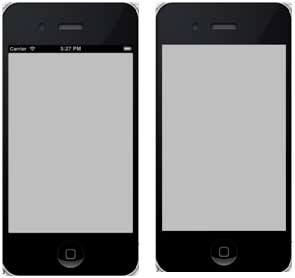
The status bar appears as follows:

Hiding the status bar
[ setStatusBarHidden:YES];
* * *
## Another Method to Hide the Status Bar
We can also hide the status bar by adding a line and selecting `UIStatusBarHidden` in `info.plist`, setting its value to `NO`.
## Adding a Custom Method `hideStatusbar` in a Class
This method hides the status bar with animation and adjusts the size of the view we assume occupies the status bar space.
-(void)hideStatusbar{ [ setStatusBarHidden:YES withAnimation:UIStatusBarAnimationFade]; [UIView beginAnimations:@"Statusbar hide" context:nil]; [UIView setAnimationDuration:0.5]; [self.view setFrame:CGRectMake(0, 0, 320, 480)]; ;}
Update `viewDidLoad` in `ViewController.m` as follows:
- (void)viewDidLoad { ; // The method hideStatusbar is called after 2 seconds [self performSelector:@selector(hideStatusbar) withObject:nil afterDelay:2.0]; // Do any additional setup after loading the view, typically from a nib.}
* * *
## Initial Output and Output After 2 Seconds